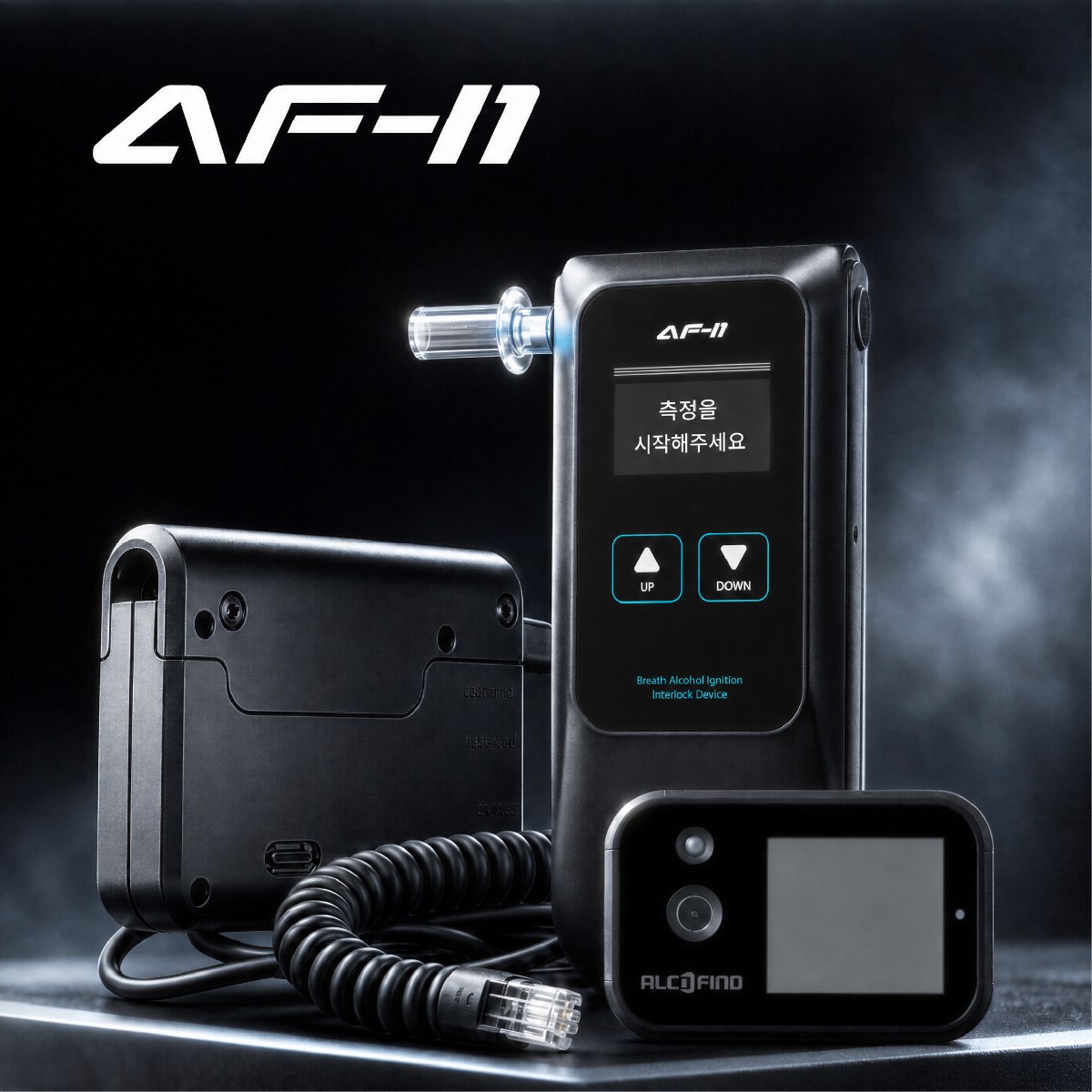
Safety managers and purchasing staff who plan to replace breathalyzers tend to compare only the new device's test method and consumables. However, if test results remain on the existing device or in a connected computer program, whether those records can still be kept or looked up after the replacement becomes a purchase condition. A breathalyzer is a device that measures breath to check alcohol-related readings, and depending on the setup, the test time, result value, device information, and so on may be recorded on a computer or management system.
"Migrating existing data" is not a single task either. Safely keeping files in their original form, continuing to view past data in the old program, and loading past data into the new program so it can be searched along with later records are all different. So the question to ask when buying a replacement should not be "Can it be migrated?" but "Where, and for what purpose, will we view past records from now on?"
First, decide which of three outcomes you need
The simplest approach is to keep existing record files in their original form. If past records are rarely looked up and only need to be checked occasionally, you may not need to load past data into the new device's management screen. However, if you keep only the files and lose the program that reads them, the file location, or the computer that can access them, it becomes hard to actually use the stored data.
Another approach is to keep viewing past data in the existing program. In this setup, records generated by the new device are managed in the new environment, and records from before the replacement are viewed in the existing program. In this case, you need to organize the existing program's installation status, the information needed to log in, and where the record files are stored before the replacement.
If you need to search or print past and future records on the same screen, you must review separately whether the data can be imported into the new system. Whether the files open is not enough. You need to confirm that the items that give the records their meaning, such as the test time, the result value, and information identifying which device generated them, are kept on the new screen as well.
Before inquiring, pin down what the devices and files actually are
Telling a supplier or manufacturer only that "we have existing data" makes it hard to judge the range of compatibility. It is better to set out together the exact model name of the device currently in use, the name of the program used to download records, the computer and folder where the files are kept, and the situations in which you will look up past data after the replacement. Even within the same brand, the supported combinations of devices and programs may differ, so you cannot assume existing records will carry over automatically just because the device is a newer model.
Also look at what information is actually in the existing files. The items needed in the new environment differ depending on whether only result values are kept, whether the test date and time and device information are kept with them, and whether there is information identifying people or test locations. Rather than broadly copying personal information not needed for the work just to make migration easier, it is easier to decide if you first narrow it to the scope needed for keeping and viewing records.
| What to set out | What to look at specifically | Why it is used in the purchase decision |
|---|---|---|
| Existing device and program | Device model name, program name, computer that reads the records | To confirm which combination lets you extract and read records |
| Content of record files | Actual items such as test time, result value, and device information | To set the scope of information that must be kept in the new environment |
| How past records will be used | Whether to only keep them, view them separately, or view them with new records | To distinguish the migration work and system setup needed |
| Planned replacement date | Last day of use of the existing device and first day of use of the new device | To make clear the reference date that divides the records |
Use sample data to separate "it opens" from "its meaning is kept"
Rather than handing over all the data right away, you can consider starting the review with a sample of the smallest approved scope. Include cases that can occur in actual files, such as records from different periods and records with empty values or values shown as errors. The fact that one representative file opened is not enough to judge that data from every period and every device will be handled the same way.
As a hypothetical example, suppose a workplace is replacing its existing breathalyzers and computer program with new devices and a management screen. When the staff member opened some existing files, the test time, result value, and device identification were kept together. This can be read as meaning that, to compare past and future data, all three items must also be viewable together on the new screen.
A possible action is to open the sample data in the new program or the proposed storage method and compare it with the originals. Look not only at the number of records, but also at whether dates and times have changed, whether the display of result values has changed in a way that alters their meaning, and whether records are separated by device. You can treat the review of that scope as complete when the number of records and the required items for the set period match the originals, and the reason for excluding any test records you decided not to load can be identified.
Secure the originals before disposing of old devices
In a replacement schedule, the problem can arise that the return or disposal of the existing devices comes before the data is checked. If you dispose of the devices before confirming whether records left on them can be downloaded, whether the existing program opens on the current computer, and whether the original files have been secured in a separate location, it becomes hard to cross-check missing periods later.
It is best to keep the original files separate from the copies used for migration work. This way, even if display errors occur while importing a copy into the new environment or changing its format, the original remains as the basis for comparison. Whether to use the records inside the existing device or the records downloaded to the computer as the retention standard should be decided according to how the device stores data and the purpose for which past data is used on site.
There may also be items you decide not to load into the new environment, such as test runs, duplicate records, and data generated by a wrongly connected device. In that case, you need to be able to tell whether a record not appearing on the new screen is a planned exclusion or an unexpected omission. Rather than editing the original content to make the counts match, keeping the excluded periods, items, and reasons for exclusion separately reduces confusion when looking up records later.
Put the migration scope and cutover standard into the quote in writing
When comparing quotes, it is best to state the scope of data handling specifically, in addition to the main unit and consumables. "Guidance on how to keep existing files," "confirmation of whether past records can be viewed in the existing program," and "review of whether sample data can be imported into the new management screen" are different requests. Separating them reduces the chance of choosing a needlessly complex setup or, conversely, buying without a past-records viewing function you need.
If the new devices will be used with a computer program, a kiosk-type management screen, or a door access integration system, also decide on which screen past records will be viewed and where future records will be kept. For some sites, keeping past data separately and managing only new records in the new system is the right fit. Conversely, if records from before and after a certain period must be compared under the same conditions, whether the new system can actually read and display the required items from past files becomes something to confirm before purchase.
The replacement purchase decision does not end when the new devices arrive. The cutover plan is complete only when a route for keeping or viewing past records within the set scope has been confirmed and the reference date dividing the existing device's last records from the new device's first records has been set. If you set these standards first, the question of whether data can be migrated becomes not a vague compatibility question but a basis for choosing the storage and viewing method and system setup that fit your site.