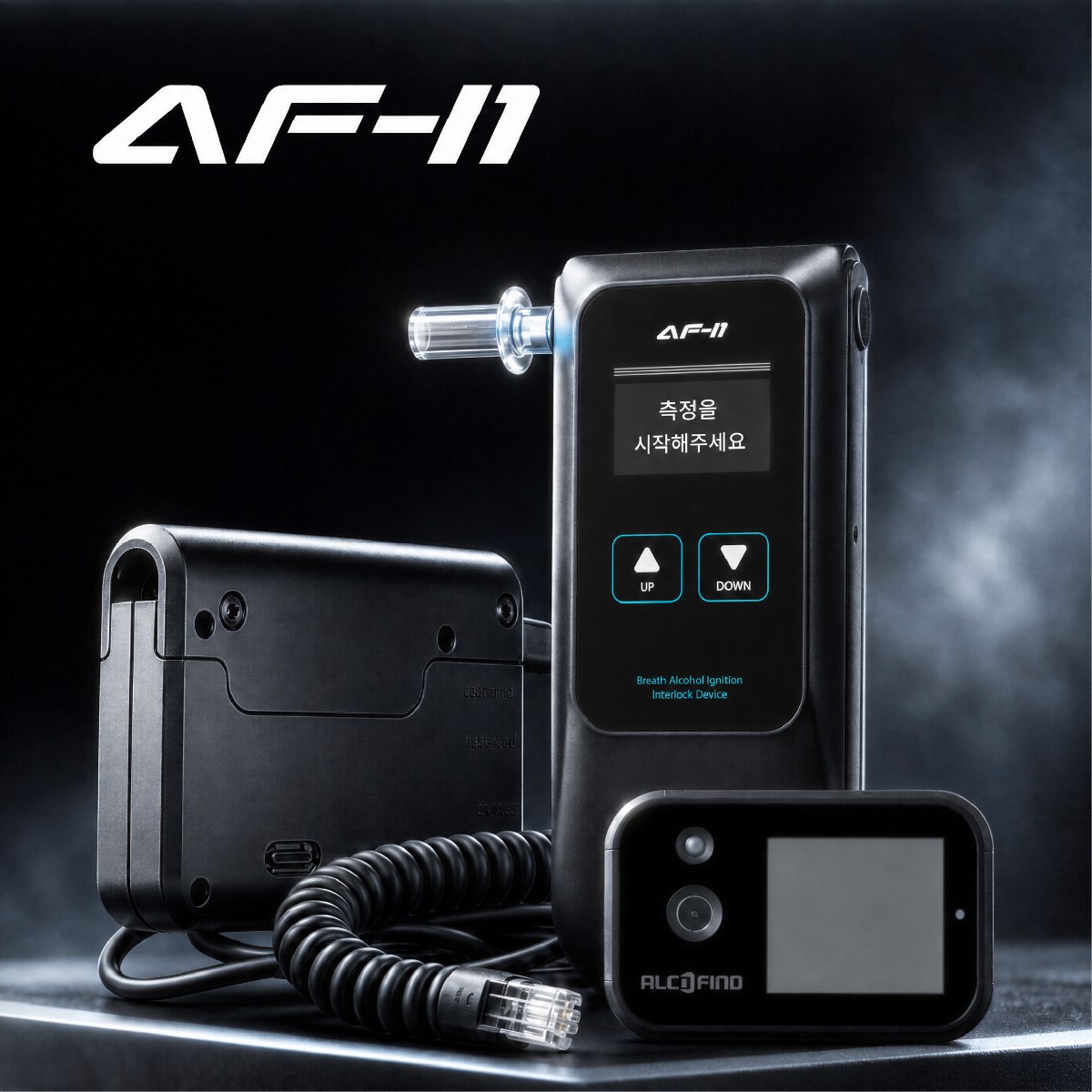
Purchasing staff or safety managers receiving breathalyzers first compare the model name and quantity against the purchase order. But when you receive several units of the same model, you also need to distinguish which unit is assigned to which location, whether the ordered chargers, cables, and mouthpieces all arrived, and whether the manuals match the equipment received. The document that records this at the time of receipt is the acceptance checklist.
A breathalyzer is a device that checks for alcohol or alcohol concentration based on a breath sample. The purpose of an acceptance checklist is not to prove the device's entire measurement performance. It is to link the units and accessories actually received, the applicable documents, and the order terms so that you can find the right unit later when deploying, replacing, or making inquiries.
After the model name, record each unit's serial number
The model name and quantity are the first items for confirming that the ordered items are correct. Next, record the serial number marked on each unit, one at a time. When there are several units of the same model and no serial numbers are recorded, you may have to gather all the units again to check whether a particular unit is missing accessories or which documents apply.
Next to the serial number, write the planned deployment location or current storage location. Rather than broad terms such as "for site use," it is better to use expressions that let you find the actual unit, such as "office storage cabinet" or "to be installed near the entrance." For appearance, write down the range you actually looked at, such as the unit's surface, screen, charging port, and packaging box, and if you take photos, keep photos of the unit showing the serial number separate from photos of the packaging condition.
Check accessories against ordered items, not the number of boxes
Chargers, cables, and mouthpieces may be part of the standard configuration or may be ordered separately. So rather than recording only how many boxes you received, compare what you received against the item names and quantity units on the quote or purchase order. Because packaging units and actual usable quantities can differ, it is hard to judge whether the requested quantity was met from "received two boxes" alone.
It is better to fill the blanks on the checklist while distinguishing "none" from "unconfirmed." "None" applies when you have confirmed in writing that the item was not ordered or is not part of the standard configuration; "unconfirmed" applies when the package has not yet been opened or you could not determine which model an item is for. Separating the two makes it clear whether something is actually missing or needs further checking.
For mouthpieces, record the item name together with the applicable model, because a similar name does not mean an item is compatible with every device. At the acceptance stage, rather than fitting items together on your own to judge, it is appropriate to record whether the item name on the order matches the applicability information provided by the supplier.
| What to inspect | Items to record on the checklist | Why these items are needed |
|---|---|---|
| Breathalyzer unit | Model name, serial number, quantity received, range of visual check, planned deployment location | You can distinguish a unit with a problem from other units |
| Power supplies and test accessories | Item name, quantity ordered, quantity received, applicable model, check status | You can tell differences in standard configuration apart from actual omissions |
| Manuals and transaction documents | Document title, applicable model, whether a file or printed copy is on hand, quote and purchase order identifiers | You can compare the equipment received and the order terms on the same basis |
| Optional functions and open items | Function requested, result checked, reason unconfirmed, follow-up action | You can separate units whose checks are complete from units that need further checking |
Link manuals and order documents to the units
The fact that a manual was enclosed is not enough. DATECH's official download center posts materials that identify the applicable model, such as "The New AF-50 / AF-50AD Korean manual." On the checklist, record the manual title along with whether it applies to the units received and whether you have it as a file or printed copy.
Keep the quote, purchase order, and delivery note in the same bundle. If there are optional items you ordered, such as storage, printing, or PC connection, first check whether those items are included in the order documents before looking at the device screen. There is no need to mark internal configurations the buyer cannot check as confirmed; simply record the range confirmed through documents as confirmed by document.
A result showing that the power came on and the screen displayed means you confirmed power and screen operation. Do not stretch this into a mark that the entire measurement performance has been confirmed. Only by separating what you saw directly on the unit, what you confirmed from guidance materials or transaction documents, and what you could not yet judge does the checklist show the actual range of checks.
Record optional functions by the result you checked, not as "normal"
Items that affect how you operate, such as storage, printing, and PC connection, are hard to judge from the unit's exterior alone. Here, rather than a broad expression such as "system normal," record the ordered item linked to the result you checked at the time of receipt. The checklist is not a document that describes device operating procedures in detail but a record of what was checked and how far.
As a hypothetical example, suppose a worksite that received two units of the same model plans to keep one in the office and place the other near the site entrance. The person in charge records the serial numbers and planned locations of both units and compares the item names and quantities of the power supplies and mouthpieces on the purchase order. They then check whether a manual matching each unit is on hand and whether the requested storage or printing items appear on the order.
If the power supply for the second unit was confirmed but the model the manual applies to could not be judged right away, the observation is "document applicability unconfirmed." This alone cannot be interpreted as a defective unit. A possible action is to ask the supplier for grounds to confirm that the guidance material is for that unit's model, and to mark that unit as awaiting document confirmation, separate from units that are complete. You can consider the check for this item finished once the manual's applicable model is linked to the unit and the basis is recorded on the checklist.
Record omissions and replacements as a continuation of the original receipt record
When an omission or problem is found, there is no need to put all units into the same status at once. If you identify which item or document is missing from the unit with which serial number, you can separate the receipt confirmation of the other units from the follow-up for the unit with the problem. For example, if the power supply for a particular unit is missing, record the unit's serial number, the missing item, the date you notified the supplier, and the result of the re-delivery in the same entry.
When you receive a replacement unit or additional accessories, leaving only a separate memo makes it hard to trace the history of the original delivery. If you link the new unit's serial number or the re-delivered item and the result of the recheck to the relevant entry on the existing checklist, the flow from first receipt to resolution is preserved. You can also consider keeping screen check materials made for acceptance purposes separately, so they do not get mixed up with test records generated during actual use.
In the end, the key items to record beyond the model name are each unit's serial number and location, accessories checked against order units, guidance materials whose applicable model is confirmed, the range of checks on ordered optional functions, and follow-up actions for open items. A checklist that links this information goes beyond a simple receipt confirmation and can be used on the same basis for equipment distribution, additional purchases, and replacement inquiries.