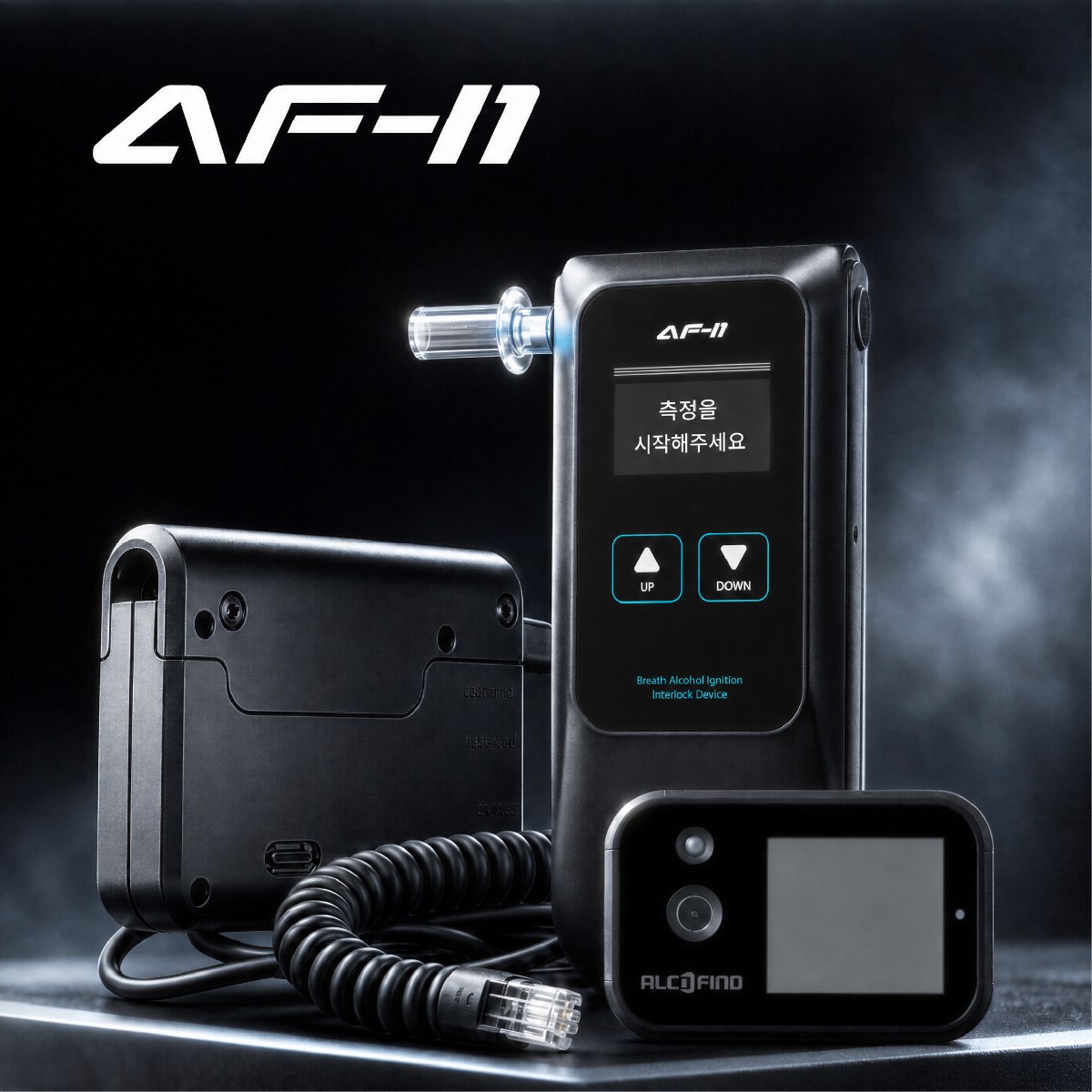
A vehicle interlock is an alcohol interlock that controls whether a vehicle can start based on the driver's breath test result and other inputs. The handset is the breathalyzer the driver blows into, and the control box is the central unit that processes the test result and the vehicle's start-related signals. Fleet managers or installation and management staff consider changing settings in the dedicated software when operating rules change or the way records are managed changes.
A settings change does not end with choosing a value on screen. You also need to decide which behavior applies to which vehicles and drivers, and how the change will serve as a reference point for interpreting previously stored test, start, and tamper-detection records. So approval items should focus first on "why are we changing it, who allows it, and how will we confirm it was applied," before "what will we change."
First distinguish whether the product supports the setting
DATECH's official AF-i1 product information states that the dedicated software can manage and download events related to interlock use and configure operating behavior. However, this alone does not disclose the names of all setting items, the range of changes, or per-user permissions. Nor can you assume that the functions visible on screen are the same as the functions that can be allowed to change in the actual operating environment.
So it is better to put up for approval only setting items you have confirmed in the product documents or the software you were given. If you build a change proposal on functions whose support is unclear, unofficial software, or unknown menus, the approval itself becomes ambiguous. Changes that weaken the device's start control or evade tamper detection are not treated as operational improvement items.
Record six things on the approval sheet
Rather than making the approval document long, it is important not to leave out information that lets you reproduce the before and after states. In particular, keep the request date and the actual application date as separate items. Even after a request is approved, the vehicle's control box may operate on the existing settings until the change is applied.
| What to approve | Specific details to record on the approval sheet | Why it is needed |
|---|---|---|
| Purpose of change | Change in operating environment, management problem, target vehicle | To judge whether the change is needed rather than a convenience |
| Scope of change | Name of the confirmed setting item, the content before the change, the approved content after | To prevent guessed functions or other vehicles' settings from getting mixed in |
| Authority and target | Approver, software operator, identification of the vehicle to apply it to | Makes clear who applies it to which vehicle |
| Application and confirmation | Date and time applied, software information used, result of confirming the change took effect | To separate the request from actual application and to interpret later records |
"Target vehicle" means an identifier that cannot be confused, such as the vehicle number in the fleet register or an internal ID. Under "result of confirming the change took effect," you can record material showing that it was actually applied, such as what you read back on the settings screen or the result of a function check following the provided procedure. Having a driver drive without authorization or tamper with the device to test the result is not an appropriate way to confirm.
An approval sequence in a hypothetical case
For instance, as a hypothetical example, suppose a logistics company is reviewing the interlock operating settings for one vehicle in service. The manager has found an operational need to review that vehicle's trip records separately from other vehicles' records from a certain point onward. The observation at this stage is the problem "the records are hard to separate," and it does not immediately mean a fault in the device's functions or an error in the existing settings.
The next step in interpretation is to check whether the dedicated software has a supported setting suited to that purpose. If a confirmed item exists, write the current content, the desired content, the target vehicle, and the reason for the change on the change request, and have the approver decide the scope. If no supported item is confirmed, rather than putting in an arbitrary substitute setting, you can consider management methods outside the device settings, such as downloading the current records and sorting them by vehicle.
After approval, the software operator checks the approved vehicle and item and records the fact of application. The completion criterion is not "we submitted a change request" but a state where the approved item has been applied to the designated vehicle and the result can be read back and confirmed. If the applied result differs from what was approved or there is no material to confirm it, do not mark it complete; it is better to hold the change and check the cause through the support channel provided.
Do not mix events from before and after the change when interpreting
The AF-i1 guidance states that it stores interlock usage events such as vehicle ACC, engine start, test results, and tampering, with date and time information. An event here means a device record left when a test is taken or the vehicle's state changes. Even after a settings change, earlier events are data generated under the settings and vehicle state at that time, so you must not re-judge past results by the new standard or delete the original records.
If you record the time of application and the affected vehicles in the change history, you can tell from which point a different setting applied when you review records later. For example, if start-related events before and after the application date look different, rather than first concluding that the device is faulty, compare the time of the settings change with what was approved. Where the logs alone do not reveal the effect of a change, it is accurate to leave the range you cannot judge as it is.
Divide management roles after approval too
You can divide roles so that the approver of a settings change decides the operating purpose and scope of application, the software operator applies only the approved content, and the person reviewing records interprets events together with the change history. If one person handles the request, approval, application, and review, it later becomes hard to separate the reason for the change from the actual work done. Even at a small worksite, you can at least keep separate records of who approved, who applied, and the material confirming the result of application.
Inspection or calibration reminders, events stored by the device, and software settings changes are different management subjects. The fact that a setting was changed does not decide whether inspection or calibration is needed, and conversely, having an inspection history does not justify an arbitrary settings change. If you divide approval items into purpose, scope, authority, application, and confirmation, you can handle only the necessary changes within the supported range and read later vehicle records in context.